
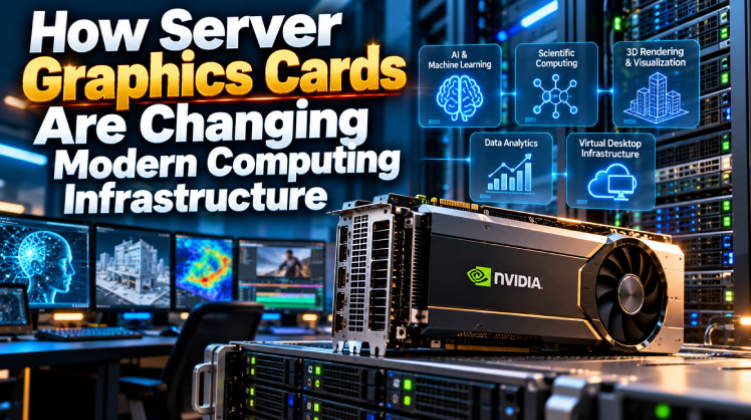

Modern computing is no longer limited to traditional CPU-based processing. As artificial intelligence, machine learning, scientific research, 3D visualization, video production, and data analytics continue to grow, organizations increasingly need hardware that can process large volumes of information in parallel. This is where graphics processing units, or GPUs, have become an important part of modern server infrastructure.
Although GPUs were originally associated with gaming and desktop graphics, their role has expanded considerably. Today, specialized GPUs can accelerate demanding workloads inside data centers, enterprise servers, research systems, and professional workstations.
What Is a Server Graphics Card?
A server graphics card is a GPU designed or configured for workloads that run in professional, enterprise, or data-center environments. Instead of focusing primarily on gaming performance, these GPUs can be optimized for applications such as artificial intelligence, machine learning, scientific computing, virtual desktop infrastructure, rendering, simulation, and large-scale data processing.
A server GPU can work alongside a server’s CPU. The CPU typically handles general-purpose tasks and system management, while the GPU takes on highly parallel calculations. This division of work can significantly improve performance for applications that are designed to take advantage of GPU acceleration.
Depending on the model and platform, server graphics cards can include large amounts of video memory, professional drivers, specialized acceleration features, and support for multi-GPU configurations.
Why GPUs Are Useful in Servers
The biggest advantage of a GPU is its ability to execute many similar calculations simultaneously.
A conventional CPU generally contains a relatively small number of powerful processing cores designed to handle a wide variety of tasks. A GPU, on the other hand, contains a much larger number of processing resources that can work on parallel operations.
This architecture is particularly useful for workloads involving matrices, vectors, images, simulations, and large datasets.
For example, an artificial intelligence model may need to perform millions or billions of mathematical operations during training. Running all of those operations exclusively on a CPU can be inefficient. A compatible GPU can process many of these calculations concurrently, reducing the time required for certain workloads.
However, a GPU is not automatically faster for every application. The software must be designed to use GPU acceleration effectively, and the workload needs to contain enough parallel operations to justify using a GPU.
Common Applications of Server GPUs
1. Artificial Intelligence and Machine Learning
AI is one of the most visible applications for modern server GPUs.
Training neural networks requires extensive mathematical computation, particularly matrix operations. GPUs are well suited to these operations, which is why they have become an important component of many AI infrastructure deployments.
Organizations may use GPU-equipped servers for:
- Machine learning model training
- Deep learning
- Generative AI
- Computer vision
- Natural language processing
- Recommendation systems
- AI inference
- Data analytics
The amount of GPU memory is also important. Larger models and datasets may require GPUs with substantial memory capacity.
2. Scientific and High-Performance Computing
Researchers often work with simulations and calculations that require enormous computational resources.
GPU acceleration can be useful in areas such as:
- Molecular research
- Weather modeling
- Computational physics
- Engineering simulations
- Genomics
- Financial modeling
- Scientific data analysis
Instead of processing every calculation sequentially, suitable applications can divide mathematical operations across many GPU processing resources.
3. 3D Rendering and Visualization
Professional visualization is another important GPU workload.
Architects, engineers, designers, media companies, and content creators may use GPU acceleration for complex 3D scenes, computer-aided design, animation, visualization, and video production.
Professional graphics GPUs can also provide features and driver support designed for specialized applications. For organizations running rendering workloads at scale, putting GPUs inside servers can make centralized rendering resources available to multiple users or applications.
4. Virtual Desktop Infrastructure
GPU-enabled servers can also support virtual desktop infrastructure (VDI).
In a traditional virtual environment, several users may share server CPU and memory resources. However, graphics-intensive applications can require additional GPU resources.
With suitable virtualization technologies, a physical GPU can be allocated or shared among virtual machines. This allows organizations to provide graphics acceleration to remote users without installing a powerful workstation at every desk.
This approach can be useful for engineering teams, design departments, educational institutions, and other organizations that need centralized computing resources.
Important Factors When Choosing a Server GPU
Buying a GPU should not be based solely on the number of processing cores or the amount of memory. The right choice depends on the complete workload and server configuration.
GPU Memory
GPU memory, commonly called VRAM, is one of the first specifications to examine.
A workload that processes large datasets or complex models may require substantially more memory than a simple visualization application.
Insufficient GPU memory can become a bottleneck even when the GPU itself has considerable processing capability.
Memory Bandwidth
Memory capacity tells you how much data the GPU can store locally, while memory bandwidth indicates how quickly data can move between the GPU processor and its memory.
Bandwidth can have a significant impact on workloads that repeatedly move large amounts of data.
For AI, scientific computing, and other memory-intensive workloads, it is therefore useful to consider both capacity and bandwidth rather than looking at memory size alone.
Power Consumption
High-performance GPUs can consume considerable electrical power.
Before installing a GPU in a server, administrators should verify the server’s power supply capacity and available power connectors. The power budget should also account for the CPU, storage devices, memory, networking hardware, cooling system, and other components.
Power consumption also affects operating costs, especially in data centers running large numbers of GPU servers.
Cooling Requirements
Heat management is another critical consideration.
A GPU operating continuously under heavy workloads can generate substantial heat. Server chassis are designed around specific airflow patterns, and a graphics card must be compatible with the server’s cooling architecture.
Some data-center GPUs are designed with passive cooling and depend on the server’s airflow system, while other graphics cards use active cooling. Choosing the wrong type for a particular chassis can result in thermal problems.
PCIe Compatibility
The physical and electrical interface must also be checked.
Many server GPUs use PCI Express, but server generations can differ in available PCIe versions, slot configurations, lane allocation, physical clearance, and power delivery.
Before purchasing a GPU, it is important to verify compatibility with the exact server model rather than assuming that every PCIe graphics card will work in every server.
Software Compatibility
Hardware is only one part of a GPU deployment.
The operating system, drivers, virtualization platform, frameworks, and applications must all support the selected GPU.
For example, AI workloads may depend on a particular software ecosystem, while professional visualization applications may require certified drivers.
Organizations should therefore identify their software requirements before selecting hardware.
Server GPU vs. Desktop GPU
A desktop graphics card and a server GPU may appear similar because both perform graphics and parallel computing operations, but their intended environments can be different.
Desktop GPUs are commonly designed for consumer applications such as gaming, content creation, and workstation use. Server-oriented GPUs may instead prioritize enterprise workloads, long-duration operation, virtualization, professional applications, or data-center deployment.
There is no universal rule that a server GPU is always better than a desktop GPU. The appropriate choice depends on the workload, software requirements, server chassis, power budget, cooling design, and expected operating environment.
For organizations building professional infrastructure, compatibility and reliability should be considered alongside raw performance.
Multi-GPU Server Configurations
Some workloads benefit from using multiple GPUs in a single server.
A multi-GPU configuration can distribute computational workloads across several accelerators. This can be useful for large AI models, scientific simulations, rendering farms, and other highly parallel applications.
However, adding more GPUs does not automatically produce a proportional increase in performance. The application must be capable of distributing work effectively, and the server must provide sufficient PCIe connectivity, power, cooling, and system memory.
Communication between GPUs can also become important in advanced workloads. Therefore, multi-GPU planning should consider the complete system architecture rather than simply counting the number of GPUs.
Reliability Matters in Enterprise Environments
A GPU used for occasional desktop workloads has different operating requirements from one running continuously in an enterprise environment.
Servers may operate around the clock, making thermal management, driver stability, component compatibility, and system monitoring particularly important.
Organizations should also consider warranty coverage, replacement availability, technical support, and spare-part availability when planning a production deployment.
For businesses in Bangladesh, sourcing compatible server graphics cards from an established enterprise hardware supplier can make the procurement process easier, particularly when the requirement involves specific server models or professional GPU configurations.
How to Plan a GPU Upgrade
A practical GPU upgrade should begin with the workload rather than the product name.
First, identify what applications will run on the server. Next, determine their GPU requirements, including memory capacity, supported frameworks, driver versions, and expected performance.
After that, verify the physical server configuration.
Check:
- Available PCIe slots
- PCIe generation and lane requirements
- Power supply capacity
- GPU power connectors
- Available chassis space
- Cooling and airflow
- Operating system compatibility
- Driver and software support
- Virtualization requirements
- Future expansion plans
This process can prevent expensive compatibility problems after the hardware has already been purchased.
The Future of GPU-Accelerated Computing
The importance of GPU acceleration is likely to continue as organizations process increasingly complex datasets and deploy more AI-powered applications.
Cloud providers, research institutions, enterprises, universities, media companies, and technology startups are all exploring ways to accelerate demanding workloads.
At the same time, GPU technology is evolving beyond traditional graphics. Modern accelerators can support AI computation, scientific workloads, professional visualization, virtualization, and other specialized applications.
This shift means that GPUs are no longer simply components for rendering images. They have become important computing accelerators capable of supporting some of the most demanding workloads in modern IT infrastructure.
Final Thoughts
Choosing a server GPU requires more than comparing specifications on a product page. Organizations should evaluate the workload, software ecosystem, server compatibility, memory requirements, power consumption, cooling, and long-term support before making a purchase.
For AI, machine learning, scientific computing, virtualization, and professional visualization, a properly selected GPU can become a valuable part of a modern server environment.
As computing requirements continue to evolve, GPU-accelerated servers will remain an important option for organizations looking to process complex workloads efficiently and build infrastructure that can adapt to future demands.